Offline ERP Software: How Offline-Online Sync Keeps Retail and Distribution Running
When the internet drops at a billing counter, the queue doesn't wait. Customers walk out, staff switch to paper, and someone spends the evening re-typing bills into the system.
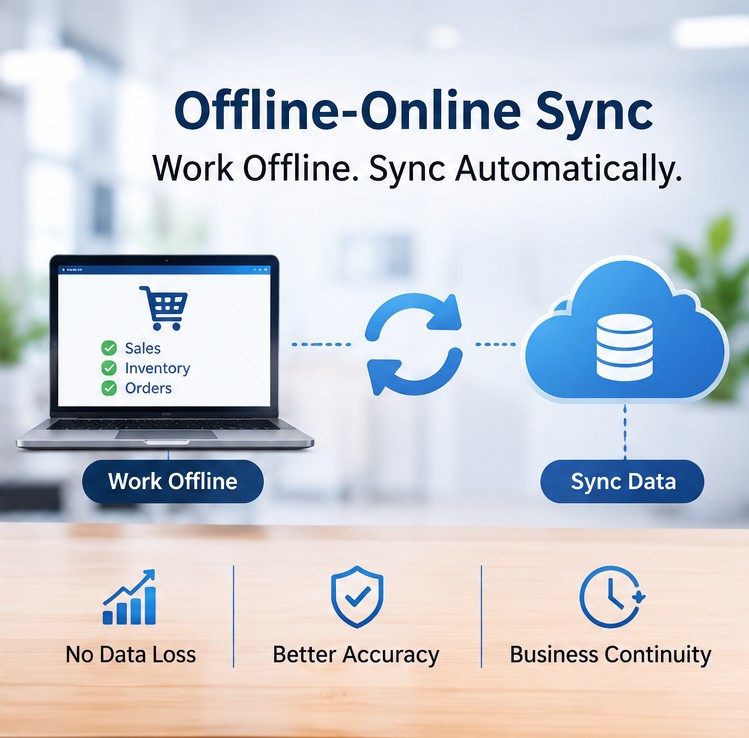
Offline ERP software fixes this by letting your team keep billing, receiving stock and taking orders without a connection. The most practical setups today are hybrid: they work offline at the branch, then sync automatically with the central system when the internet comes back.
This guide explains how that sync works, what should and shouldn't work offline, how it fits with e-invoicing rules in India, the Gulf and Africa, and how to test a system before you buy.
What is offline ERP software?
Offline ERP software is an ERP system that lets users carry on with core work, such as billing, inventory and order entry, when the internet is unavailable. The data is saved on the local device or branch server and shared with the rest of the business later.
That one phrase covers three quite different setups:
| Setup |
How it works |
Works without internet? |
Main trade-off |
| Cloud-only ERP |
Everything runs in a browser against a central server |
No |
Easy to manage, but every outage stops work |
| On-premise or desktop ERP |
Installed on local computers or an office server |
Yes, within that site |
Branches and head office don't see each other's data in real time |
| Hybrid (offline-online) ERP |
Each branch or device keeps a local copy that syncs with a central database |
Yes, for selected tasks |
Needs well-designed sync and conflict rules |
For a retailer or distributor with several branches, the hybrid model is usually the one worth a closer look. You keep central visibility without making every counter depend on a perfect connection.
Why internet downtime hits retail and distribution hard
Connectivity problems aren't rare in these markets. Access Now's #KeepItOn coalition recorded 313 government-imposed internet shutdowns across 52 countries in 2025. India accounted for 65 of them, and Tanzania for 8.
An Internet Society review of shutdowns from 2019 to 2025 found Asia and Africa were the most affected regions. It also noted that India's shutdowns are almost always regional, often limited to specific districts. In practice, one branch can go dark while head office stays online.
Then there are the everyday causes: a cut fibre line, a power cut that takes the router down, weak mobile coverage in an industrial estate, or a sales rep visiting shops in a low-network area.
For businesses that sell and move stock all day, the cost shows up fast:
- Lost sales while the counter can't bill
- Paper bills that must be re-keyed later, with typing errors
- Stock figures that drift because receipts and dispatches weren't recorded on time
- Delivery vans waiting because a dispatch note can't be printed
How offline-online ERP synchronization works
Most hybrid systems follow the same basic pattern:
- Local copy. Each branch or device keeps the data it needs, such as items, prices, customers and stock, in a local database.
- Keep working. When the connection drops, users carry on. Every new bill, receipt or order is saved locally and placed in a queue.
- Sync on reconnect. When the internet returns, the queue goes to the central server in order, and fresh updates (new prices, other branches' stock) come back down.
- Check and resolve. The system looks for conflicts and either applies pre-set rules or flags records for someone to review.
What happens when two people change the same record?
This is the part many vendors gloss over. Say head office raises a price while an offline branch is still selling at the old one. Or two branches both sell the last 10 units of an item.
A well-built system answers these with clear rules. Sales already billed stay as billed, because that's what the customer paid. Stock may go negative for a while and gets flagged for a transfer or correction.
Prices and credit limits are usually controlled centrally, so the head-office change wins. And each counter uses its own invoice number series, so two offline counters never issue the same number.
Ask any vendor to explain these rules in plain language. If they can't, the sync is probably weaker than the brochure suggests.
What should work offline, and what can't
Not everything can, or should, work without internet. Here's a realistic split:
| Task |
Works offline? |
Why |
| Billing and POS sales |
Should |
Customers are waiting |
| Goods receipt at the warehouse |
Should |
Trucks shouldn't wait |
| Sales orders taken by field reps |
Should |
Orders are captured on the spot |
| Stock counts and outgoing transfers |
Should |
Reconciled after sync |
| Production entries on the shop floor |
Should |
Avoids paper logs |
| Live stock at other branches |
Last-synced view only |
Needs a connection |
| E-invoice registration with tax portals |
No, queued until online |
The portal needs internet |
| Online payment confirmation (UPI, cards) |
Usually not |
Depends on the payment network |
The aim isn't to run offline forever. It's to keep the business moving for a few hours, or a day or two, and then catch up without anyone re-entering data.
Offline ERP and e-invoicing rules
E-invoicing puts a clock on every outage. Your offline ERP can store invoices locally, but tax portals still expect them within set time limits. These rules change often, so confirm the current position with your tax adviser.
India (GST)
E-invoicing applies to businesses with aggregate turnover above ₹5 crore, and B2B invoices must be registered on the Invoice Registration Portal to get an Invoice Reference Number (IRN).
Since 1 April 2025, businesses with turnover of ₹10 crore or more can't report invoices older than 30 days. An offline system can prepare the invoice, but the IRN only comes once it reaches the portal, so queued invoices should go up as soon as the connection is back.
Saudi Arabia (ZATCA)
Under Phase 2, standard (B2B) tax invoices must be cleared by ZATCA before they reach the buyer, so they need a live connection. Simplified invoices, used mostly for retail sales to consumers, can be issued at the point of sale and reported within 24 hours. A shop can keep selling through a short outage, but that 24-hour clock keeps running.
United Arab Emirates
The UAE is rolling out e-invoicing in phases, with mandatory use starting from 1 January 2027 for the first group of businesses. Invoices go through Accredited Service Providers on the Peppol network, and B2C invoices aren't part of the current rollout. B2B sellers should plan how invoices created offline will reach their provider once they reconnect.
Kenya (eTIMS)
The Kenya Revenue Authority says its online options, the portal and the Online Sales Control Unit (OSCU), need a stable connection. The eTIMS Client and the Virtual Sales Control Unit (VSCU) let businesses keep invoicing during downtime and send the invoices once connectivity returns. If your ERP connects to eTIMS, check which mode it uses.
Other African markets have their own requirements, so check each country you trade in.
A day without internet: how it plays out
Here's a simple, illustrative example for a distributor with one warehouse and three retail outlets.
At 10:30 a.m., the fibre line at one outlet goes down. Billing carries on locally, and customers get printed invoices from that counter's own number series.
The warehouse is still online, so a truck is received and the stock update goes straight to the central system. Meanwhile, a field rep in a low-network area takes six orders on her phone, and they wait in the app's queue.
At 4 p.m., the outlet reconnects. The day's bills sync, its stock updates, and the B2B invoices go to the tax portal. Two items show negative stock at the outlet, and the system flags them for a transfer. Nobody re-types a single bill.
How to evaluate offline ERP software
Almost every brochure says "works offline". These questions separate real capability from marketing:
- Which screens work offline? Ask for a list, not a yes.
- How long can a branch stay offline? Hours or days? Is there a limit on queued transactions?
- What are the conflict rules? Ask specifically about stock, prices and credit limits.
- How are invoice numbers kept unique across offline counters?
- How does it handle e-invoicing in your country? Look for automatic submission and alerts before deadlines.
- Can staff see sync status? Users and managers should know when a device is offline or a sync has failed.
- Is local data protected? Check for user logins, encryption and backups on branch machines.
- Run the unplug test. In the demo, disconnect a device, make a sale and a stock receipt, reconnect, and check that everything lands correctly at head office.
Conclusion
Internet downtime is a normal part of doing business in many parts of India, the Middle East and Africa. The answer isn't to give up on cloud visibility. It's offline ERP software that lets branches keep working and syncs cleanly afterwards.
When you compare options, look past the "works offline" label. Check which tasks work without internet, how conflicts are resolved, and how queued invoices will meet your tax deadlines.
If you're evaluating Quarto ERP for a manufacturing, retail or distribution business, book a demo and ask us to run the unplug test on your own workflow.
Frequently Asked Questions
1. Is offline ERP the same as desktop ERP?
Not quite. Desktop or on-premise ERP is one kind of offline ERP, but it usually doesn't share data across branches in real time. A hybrid offline ERP works locally and also syncs with a central database, so head office still gets a full picture.
2. Can offline ERP software generate GST e-invoices without internet?
It can create the invoice, but the IRN comes from the government portal, which needs a connection. A good system queues these invoices and submits them automatically when you're back online.
3. How long can an offline ERP keep working without internet?
That depends on the system, so ask the vendor. In practice, your tax deadlines set the real limit: for example, 24 hours for simplified invoices in Saudi Arabia, or 30 days for IRN reporting in India if your turnover is ₹10 crore or more.
4. What happens if a device breaks before it syncs?
Any transactions saved only on that device could be lost. Ask how often the system syncs when a connection is available and whether branch machines keep local backups.
5. Do I need offline ERP if my head office has good internet?
Possibly. The risk usually sits at the branches, warehouses and with field sales teams, not at head office. If any of them bill customers or handle stock, an outage there still stops the business.
6. Will offline mode cause stock mismatches?
Small, temporary differences are normal until the next sync. What matters is that the system flags them, such as negative stock at a branch, so they can be fixed quickly instead of building up unnoticed.