Container Freight Station Management System: 9 Features That cut Demurrage Risk and Billing Leaks
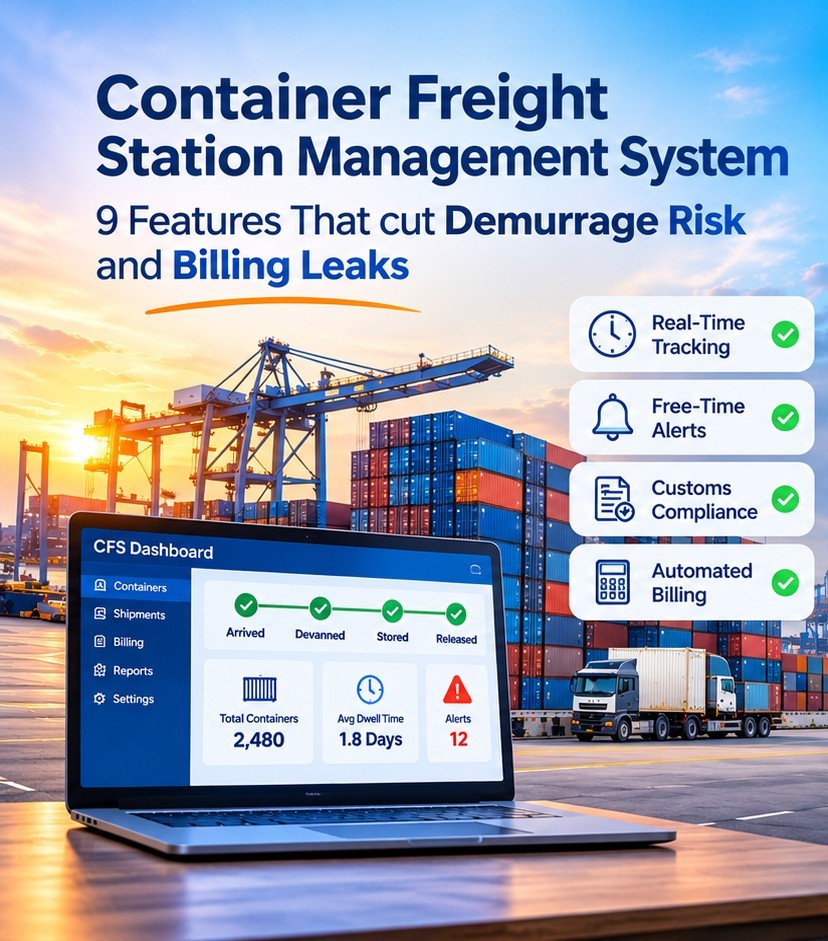
A good container freight station management system does three things. It shows where every container and cargo movement line right now. It applies your tariff rules without manual math. And it keeps a time-stamped record you can rely on when a bill is questioned.
Miss any of these and money leaks out in two ways. It goes out through demurrage and storage charges that pile up unnoticed. And it never comes in when handling and storage go unbilled.
This guide is for operations heads, finance leads and IT teams comparing container freight station ERP software. It covers nine features that matter, a simple way to test each one in a demo, and the local rules to check.
What a container freight station management system actually does
A container freight station (CFS) is where containers are packed (stuffed) and unpacked (devanned), and where export and import cargo is grouped together or split up. A management system tracks that cargo from arrival to release and links the physical work to billing and accounting.
First, a straight word. Demurrage is what a shipping line charges when a container stays inside the terminal longer than its free time. Storage is usually charged by the terminal (DCSA glossary). A CFS operator cannot cancel either one. Software can shorten dwell time, warn you before free time ends and give you proof when a charge is disputed. That is why this guide says "cut", not "eliminate".
Where the money leaks
| Leak |
Typical cause |
Feature that helps |
| Free time ends unnoticed |
No shared clock; dates live in emails |
2 |
| Devanning waits for a release or document |
Status unclear across teams |
1, 3 |
| Storage billed with the wrong free days or rate |
Tariffs kept in spreadsheets |
5 |
| Handling, inspection or labour never invoiced |
Charges added from memory at month-end |
6 |
| A carrier or terminal invoice can't be checked |
No time-stamped record |
7 |
| House bill data typed several times |
Separate tools for operations and finance |
9 |
The 9 features
1. Real-time status from gate-in to release
Every container and every house bill of lading needs an up-to-date status: arrived, held for inspection, devanned, stored, released, sent out. Without it, staff keep calling around for updates and cargo sits waiting.
Test it: Follow one container with multiple house bills through three status changes. Check that the system records who changed each status and when.
2. Free-time and dwell clocks with alerts
Put the carrier's free-time end date, your own free storage days and any customs deadlines on one screen. The alert should reach you before the clock runs out, not on the invoice afterwards.
Illustrative Example: a box is discharged on a Friday and the consignee's paperwork is incomplete. A good system shows the countdown and the missing document that same day, so someone can act before the weekend.
Test it: ask the vendor to set up two customers with different free days and show the alerts.
3. Customs, bond and document control
What you need depends on the market. In the US, container stations work under the customs rules in 19 CFR Part 19, including applications to transfer containers to the station. Look for hold and inspection flags, in-bond movement records, house bill management and customs reporting where your country requires it.
Test it: ask which customs systems the product connects to in your country, and ask to see a live example.
4. Yard, devanning and warehouse planning
The system should help you decide which container to unpack next, let several people unpack one container together, record damage and shortages for each cargo line, and store the location of each pallet.
Test it: log a shortage on one cargo line and see how it reaches the customer notice and the invoice.
5. A tariff engine for real-world rules
Spreadsheets break down when tariffs get complicated. Look for free days per customer, weekend and holiday rules, slab rates, charging by cubic metre, tonne, pallet or container, minimum charges, contract overrides and multiple currencies.
Test it: give the vendor your three trickiest customer tariffs and ask them to bill a sample.
6. Automatic charge capture from operations
Each billable event, such as lifting, inspection, labour, overtime or paperwork, should become a draft charge the moment the operator records it. Not when someone remembers at month-end. This is often the biggest fix for unbilled work.
Test it: record a handling event on a mobile device and watch the draft charge appear in finance.
7. Audit trail and dispute-ready proof
Time-stamped records for arrival, release and each handling step help you settle disputes faster. In the US, the FMC's billing rule requires ocean carriers and terminal operators to invoice demurrage and detention within 30 days of the charges being last incurred. NVOCCs have a separate 30-day invoicing deadline from receiving the original invoice. Billed parties must be given at least 30 days to request mitigation, refunds or waivers. A court set aside one section of that rule in September 2025, but the remaining timing rules continue to apply (FMC). Check the current position for your role and market.
No matter where you are, the idea is the same: good records win disputes. Also look for a way to compare incoming carrier or terminal invoices with your own dates.
Test it: pick a past disputed charge and ask how the system would have provided the proof.
8. Tax and e-invoicing by country
Invoice rules are changing fast, especially in the GCC. Saudi Arabia's ZATCA is rolling out Phase 2 of its Fatoora e-invoicing system in stages. In the UAE, the e-invoicing pilot began on 1 July 2026, with mandatory implementation starting in phases from 2027. Businesses with annual revenue of AED 50 million or more had to appoint an Accredited Service Provider by 30 October 2026 and must go live by 1 January 2027. Smaller businesses have until 31 March 2027 to appoint a provider and 1 July 2027 to go live (UAE Ministry of Finance). These dates can change, so confirm them with the authorities.
Ask vendors how they meet your country’s requirement. In the UAE, invoices must go through an Accredited Service Provider. In other markets, ask whether the vendor connects directly or through an accredited provider.
Test it: ask for a sample invoice in the format your tax authority requires.
9. Integrations, portals and reporting
Your system should integrate with accounting platforms, carriers, terminals and customs brokers through APIs or EDI. Customers should be able to see status through a portal or automatic notices, which means fewer phone calls. Useful reports include dwell time by customer, unbilled work and unpaid invoices by age.
Test it: ask for the integration list, and which items are standard and which need custom work.
How to run a vendor demo
- List your top five leaks from last quarter's disputes, write-offs and late invoices.
- Send your real tariffs, a sample container and a past dispute before the demo.
- Ask to see each feature above working with your data, not slides.
- Ask for a step-by-step rollout plan covering data migration, training and a parallel run.
- Confirm support hours that suit your time zones, role-based access and who owns your data.
Frequently Asked Questions
What is a container freight station management system?
Software that tracks containers and cargo through a CFS and connects operations to billing. It covers receiving, devanning, storage, release and invoicing.
How is it different from a warehouse management system?
A warehouse system focuses on stock and orders. A CFS system adds container-level work such as stuffing and devanning, house bills of lading, consolidation and customs handling. Some products combine both.
Can software eliminate demurrage?
No. Carrier and terminal tariffs set demurrage. Software helps by cutting dwell time, flagging deadlines and giving you proof.
Do I need ERP software for container freight stations, or a standalone tool?
If you already run an accounting ERP, check how well the CFS tool connects with it. A combined system keeps operations and finance in one database, which removes retyping. The right choice depends on the systems you already have.
How long does implementation take?
It depends on the number of sites, how complex your tariffs are and how clean your data is. Ask for a step-by-step plan with a parallel run and a timeline based on your case, not a generic figure.
Will it handle e-invoicing in the GCC?
Ask each vendor directly, in writing, how they meet UAE and Saudi requirements and which versions of the rules they support.
What should I prepare before a demo?
Your tariffs, sample invoices, and examples of disputed or unbilled charges from the last few months.
Buyer checklist
- Live status for each container and house bill
- Free-time and dwell alerts that fire before deadlines
- Customs and bond functions for your market
- Devanning and yard planning with cargo-line records
- A tariff engine tested on your hardest tariffs
- Charges created automatically from operations
- A time-stamped audit trail for disputes
- Tax and e-invoicing support for every country you operate in
- Integrations, portal and reports confirmed in the demo
Conclusion
Choosing a container freight station management system comes down to nine questions. Can it show status, warn in time, control documents, plan the yard, bill by your tariffs, capture charges, prove what happened, meet local tax rules and connect to everything else? Run each one through your own data before you decide.
If you want to compare notes, the Codea FR8 container freight station module covers container arrival, inspection, devanning, house bill management, service charges, invoicing and finance integration. You can also read about our freight and logistics ERP . Either way, the checklist above works with any vendor.