ERP Software for Manufacturing Industry: How It Simplifies Production Planning and Operations
Manufacturers manage a lot of moving parts: raw materials, machines, labor, supplier deliveries, and customer deadlines. When these are tracked in separate spreadsheets and tools, planning becomes slow and error-prone, and delays are often found only after they have already affected production.
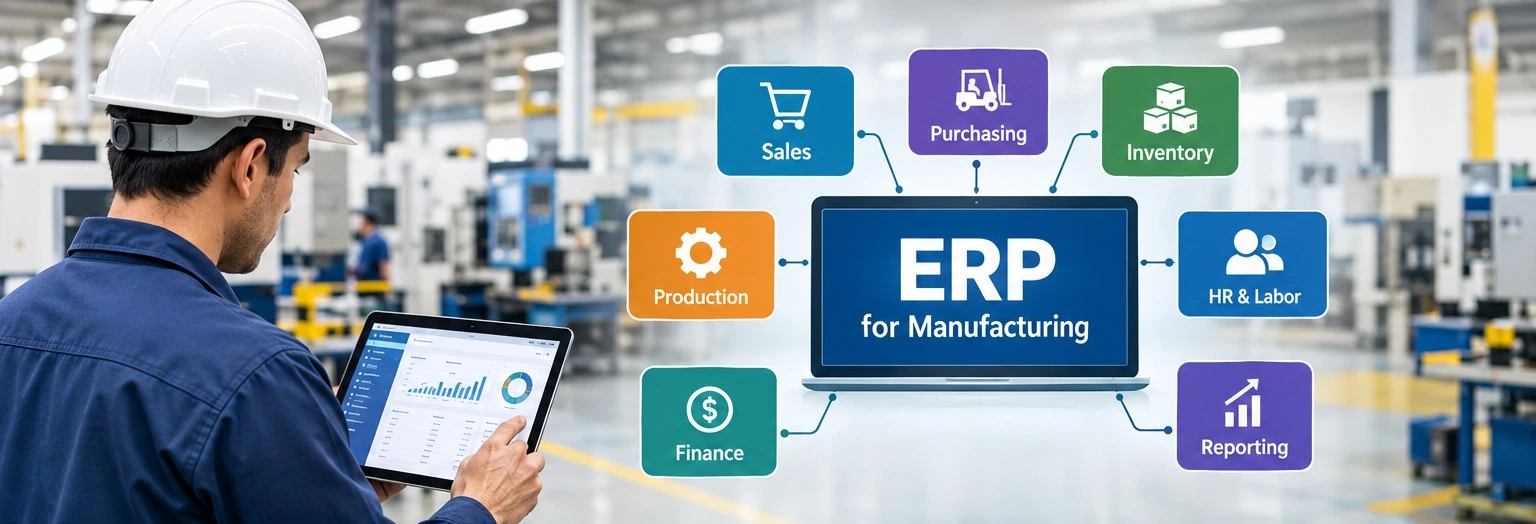
ERP software for the manufacturing industry helps by bringing sales, purchasing, inventory, production, and accounts onto one set of records. When something changes in one place, every team sees it. This article explains how ERP supports production planning and day-to-day operations, and what to check before you choose a system.
Where Manufacturing Plans Usually Break
Many manufacturing plans fail not because people don't work hard, but because the data they need is spread across different tools and teams.
- Orders live in one system, stock in another, and the machine schedule in a spreadsheet someone updates by hand.
- Material needs are calculated manually, so a late purchase order is noticed only when a line stops.
- Job costs are worked out after the order ships, when nothing can be changed.
Even small mistakes in this process can cause bigger problems over time. If the bill of materials is wrong, the purchase quantity will also be wrong, leading to either a shortage or extra stock that is not needed. Many of these mistakes happen when one person has to enter the same data again for someone else.
How ERP for Production Planning Works
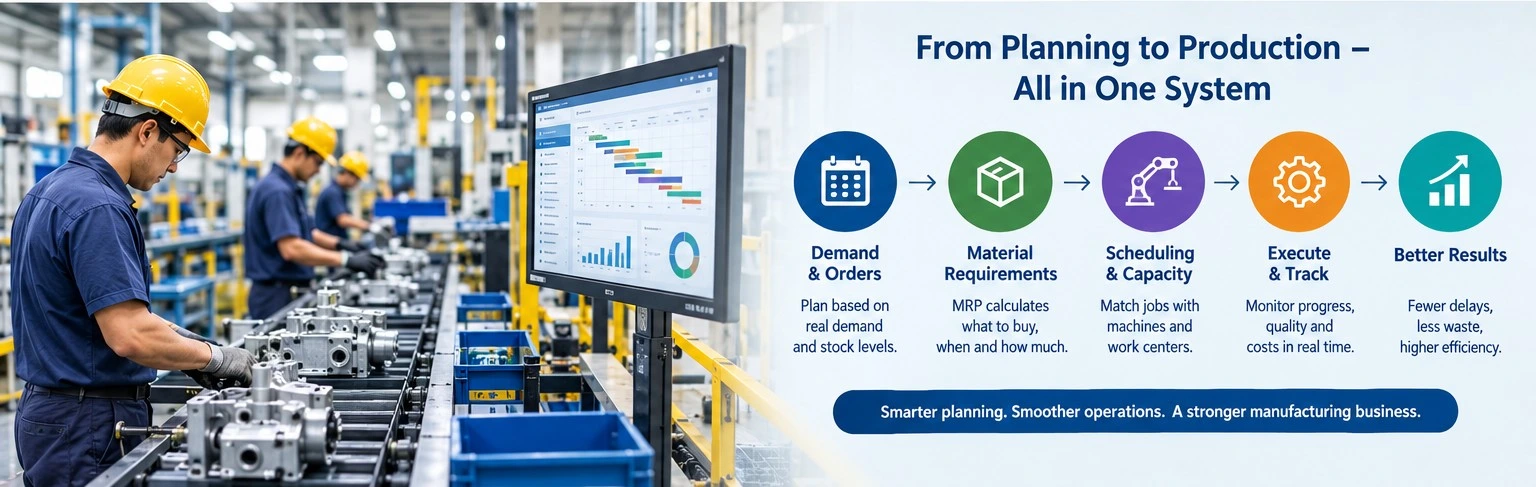
Planning comes down to three questions: what do we make, when, and with which machines and materials? ERP for production planning answers them using current data rather than last week's numbers.
Demand and Orders
Confirmed orders, forecasts, and stock levels go into one plan. The system compares what you need against what you have and shows the shortfall.
Material Requirements Planning (MRP)
MRP reads the bill of materials and works out which parts are needed, how many, and by what date. If something is short, it can raise a purchase request or a work order. You decide the lead times and safety stock; the system handles the arithmetic.
Capacity and Scheduling
Each operation is linked to a machine or work center, along with the time it takes. A planner can spot an overloaded machine, see idle hours elsewhere, and check what happens to other jobs if one is moved. Some systems use finite scheduling, which limits the plan to what the plant can really run.
What Changes on the Shop Floor
Once the plan is ready, the next challenge is keeping everything on track when production starts. An ERP system helps by updating inventory, work orders, quality records, and costs in real time.
Inventory and Purchasing
When stock of raw material, work in progress, and finished goods is always visible, you run out less often and overbuy less often. Reorder points and supplier lead times let purchasing order calmly instead of in a panic.
Tracking Work Orders
Operators record progress, material used, and downtime against each work order. If a job is running late, the supervisor knows during the shift, not the next morning.
Quality and Traceability
Inspection results, batch numbers, and rejection records sit next to the production record. When a defect turns up, you can trace it to a batch and a supplier lot without digging through paper files.
Costs
Material, labor, and overhead are recorded against each job. Finance can compare planned and actual cost while the order is still open, so margins don't come as a surprise at month end.
An Example: One Urgent Order
Say a pump manufacturer gets an urgent order for 200 units.
- Sales enters the order: The system checks the available stock and the bill of materials.
- MRP checks the materials needed: It shows that 60 castings are short and creates a purchase request based on the supplier's usual delivery time.
- The planner checks the schedule: The assembly line is already booked for three days, so the planner gives a delivery date the factory can meet.
- Operators update each stage: Any delay is reported as soon as it happens.
- Costs are recorded after dispatch: The team can see whether the order made a profit.
Each step uses the same data, so no one needs to call another department to ask for information.
What to Look for in ERP Software for Manufacturing Industry
The right system depends on what you make and how you make it. A shop making machined parts needs different things from a food or chemical plant that works with batches and recipes. When you compare options, check these:
- Production type: make-to-order, make-to-stock, or batch.
- Planning depth: MRP, capacity planning, and scheduling that suit how complex your routings are.
- Traceability: batch, lot, and serial tracking, if customers or regulators need it.
- Integration: links to accounting, CRM, e-commerce, or machine data you already use.
- Reports: dashboards that planners and managers will actually open.
- Deployment and support: cloud or on-premise, who trains your people, and how updates are handled.
- Room to grow: adding users, plants, or modules later.
Instead of watching a standard demo, ask the vendor to run your own scenario, such as an urgent order or a material shortage.
Mistakes to Avoid During Implementation
Software doesn't fix a planning habit on its own. Watch for these:
- Bad master data: Wrong bills of materials or lead times give wrong plans. Clean them up before go-live.
- Little training: If operators find the system slow or confusing, they drift back to paper.
- Too much customization: Heavy changes add cost and make upgrades harder. Try adjusting the process first.
- No owner: Someone from operations, not just IT, should run the project.
Cost, timelines, and results depend on your size and complexity, so ask vendors for realistic estimates and references from similar plants.
Conclusion
The right ERP software for manufacturing industry gives planners, buyers, supervisors, and accountants the same live numbers. Orders turn into material plans, plans into schedules, and schedules into tracked work with actual costs. The result is fewer shortages, fewer surprises, and plans people can trust.
If you're evaluating options, start with your own problems, such as late deliveries or stock errors, and test each system against them. Our Quarto ERP is built for manufacturing, distribution, and service companies, and our team can help you judge whether it fits your operation.
Frequently Asked Questions
1. What does ERP do in production planning?
It connects orders, inventory, bills of materials, and machine capacity so planners can see what to make, what to buy, and when. The plan updates as conditions change.
2. What is the difference between ERP and MRP?
MRP calculates material needs and timing. ERP is the wider system that includes MRP along with finance, sales, purchasing, inventory, and more.
3. Can small manufacturers use ERP?
Yes. Many vendors offer modular or cloud-based options, so a smaller plant can start with core functions and add more later. Compare pricing and support carefully.
4. How is ERP for production planning better than spreadsheets?
Spreadsheets rely on manual updates and are hard to share safely. An ERP works from one live data source, so everyone sees the same numbers and changes are tracked.
5. How long does ERP implementation take?
It depends on company size, data quality, and how much customization is needed. Some projects take a few months, others longer. Ask vendors for a phased plan.
6. Should I choose cloud or on-premise ERP?
Cloud ERP usually costs less upfront and is easier to update. On-premise gives more control over hosting. The right choice depends on your IT resources, security needs, and budget.